Keeping up with your team’s performance shouldn’t be a guessing game. With Launchpad, you get real-time insights, track progress effortlessly, and measure success against business goals—all in one place. Here’s how:
1. Real-Time Visibility: Know What’s Happening Instantly
Launchpad’s live dashboard gives you an instant overview of your team’s performance. Directly from your RFP Dashboard, you will be able to see all your RFPs, and filter them by team member! No more waiting for reports. No more chasing updates—just real-time data at your fingertips.
2. Event & Team Progress: Track Every Milestone
Monitor how each event is progressing and how your team is handling their tasks.
- Event Progress: See where each event stands, from planning to execution.
- Team Progress: Track individual and team workloads, response times, and completed tasks.
This makes it easy to spot bottlenecks and keep everything moving smoothly.
3. Performance vs. Business Signed: Measure Real Impact
Numbers matter. Launchpad lets you analyze team performance about business signed, helping you connect effort to revenue. From your RFP Dashboard you will be able to see how each team member is signing contracts to make sure the event is fully sourced on the date needed!
Why Use Launchpad?
✅ Live Insights – No outdated reports, just real-time data.
✅ Performance Alignment – See how your team’s work impacts business growth.
✅ Smarter Decision-Making – Track, analyze, and optimize all in one place.
This is how you do it:
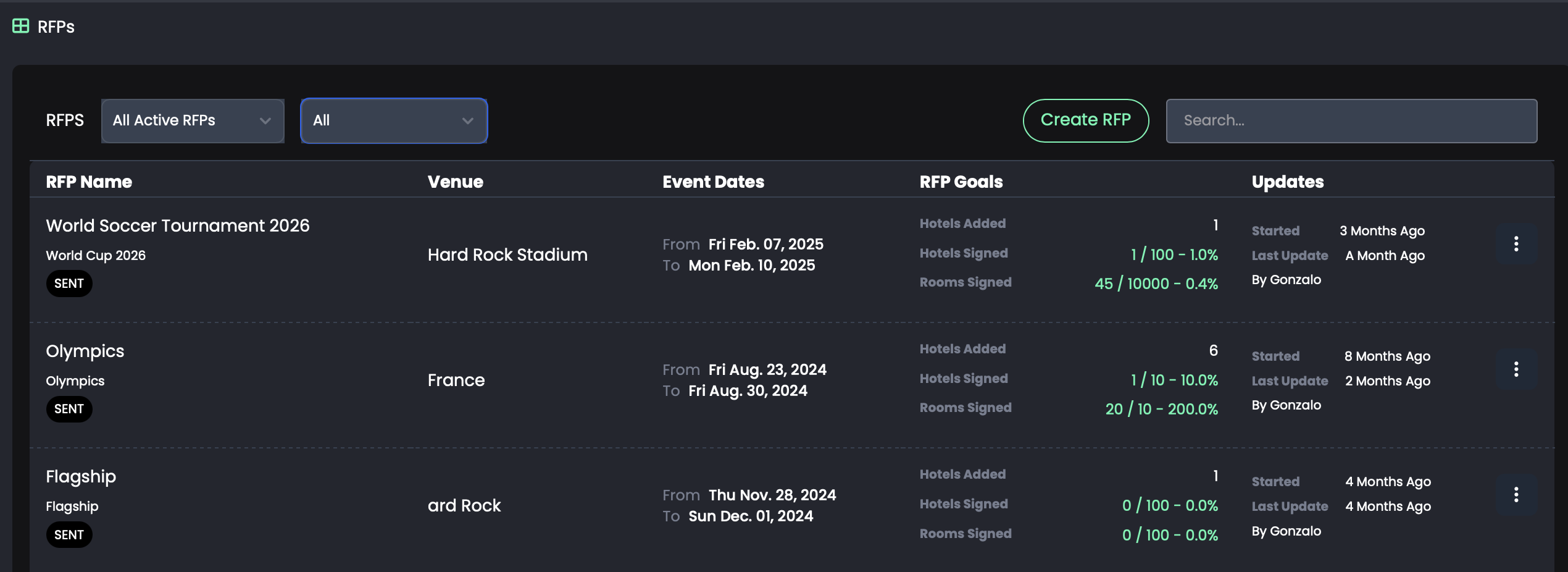
Go to your RFP Dashboard, and select "All Active RFPs"
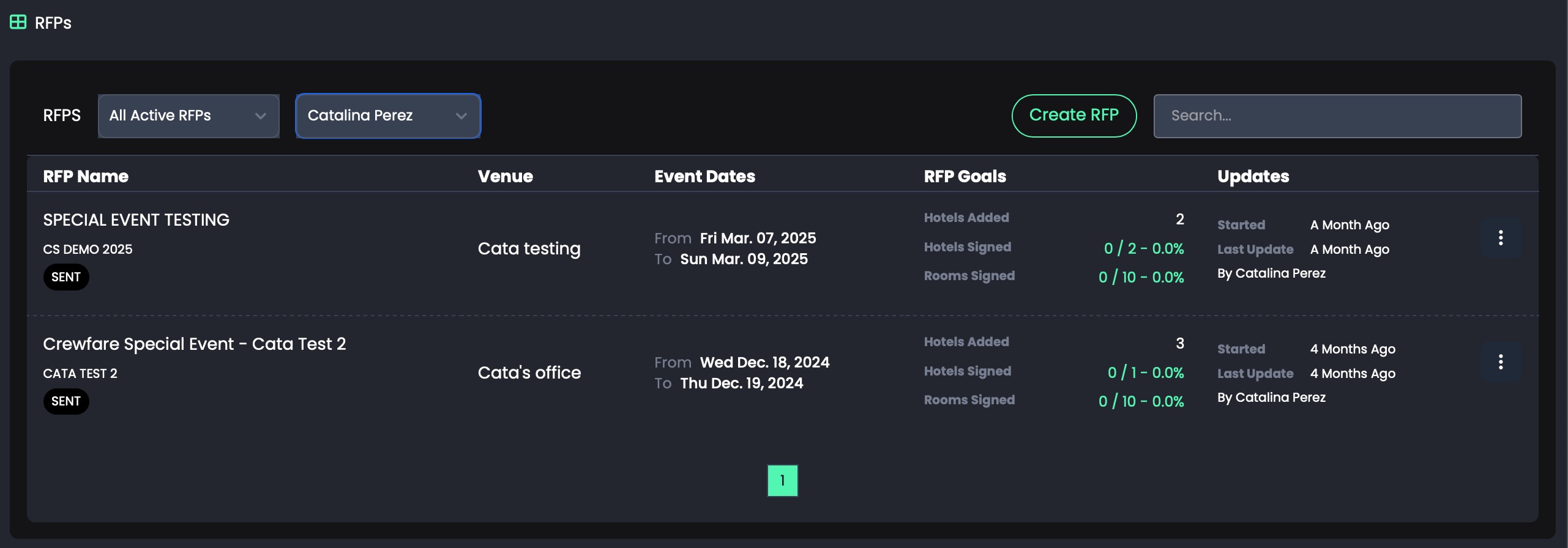
Once you do you will be able to filter by user! You will be able to use the "All" filter, and see what the big picture looks like, or select user by user and review individual performance!
All RFPs
Individual Performance:
Launchpad gives you the visibility you need to keep your team on track and your business growing. Ready to take control? Let’s go!
Was this article helpful?
That’s Great!
Thank you for your feedback
Sorry! We couldn't be helpful
Thank you for your feedback
Feedback sent
We appreciate your effort and will try to fix the article