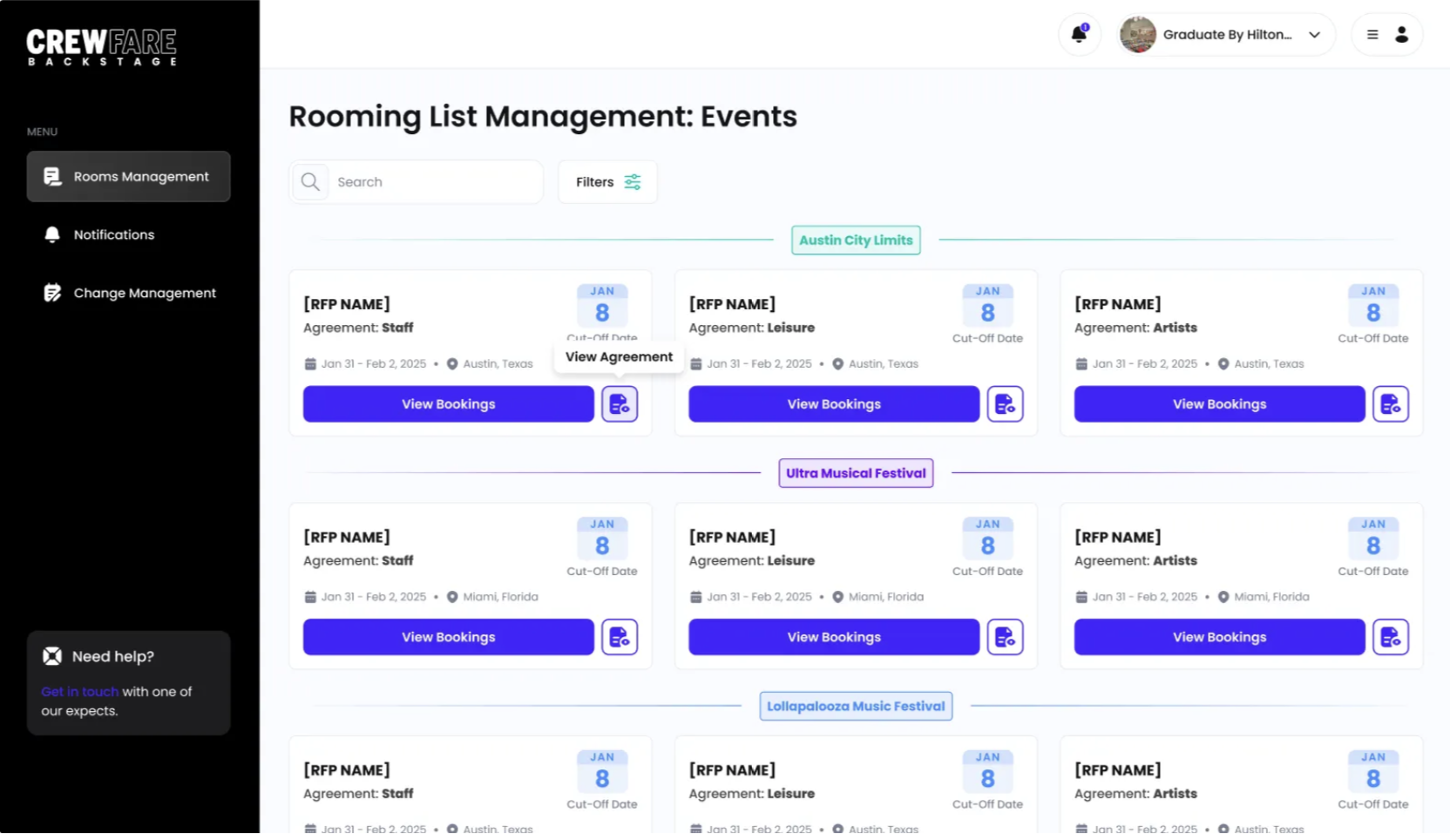
Step 1: Submit Reservations to the Hotel
When reservations are ready, you will be able to submit the reservations on Backstage, and they will be sent to the hotel through the Digital Rooming List.
These reservations appear to the hotel as Newly Received and require hotel action.
Step 2: Wait for Hotel Confirmations
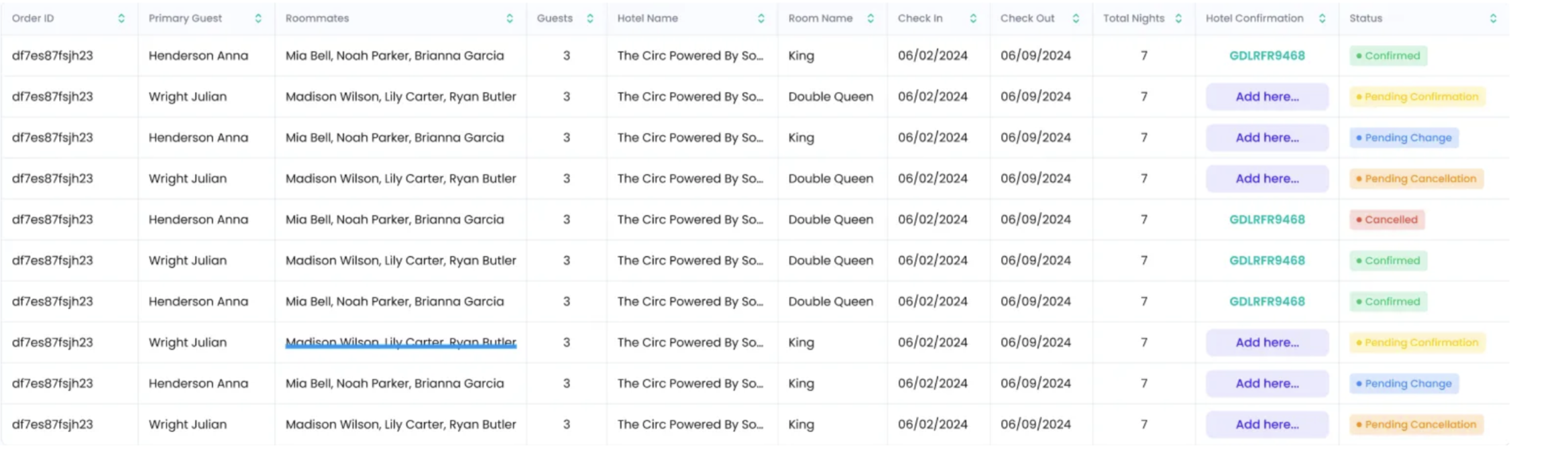
The hotel reviews the reservations and adds confirmation numbers.
Once complete:
- The rooming list is submitted back to you
- The event moves to Confirmations Sent
You’ll now see confirmation numbers directly in the DRL.
Step 3: Review Confirmations
Review the confirmed reservations to ensure:
- All guests are accounted for
- Details are accurate
- Confirmation numbers are present
At this point, you decide when and how to notify guests on Backstage.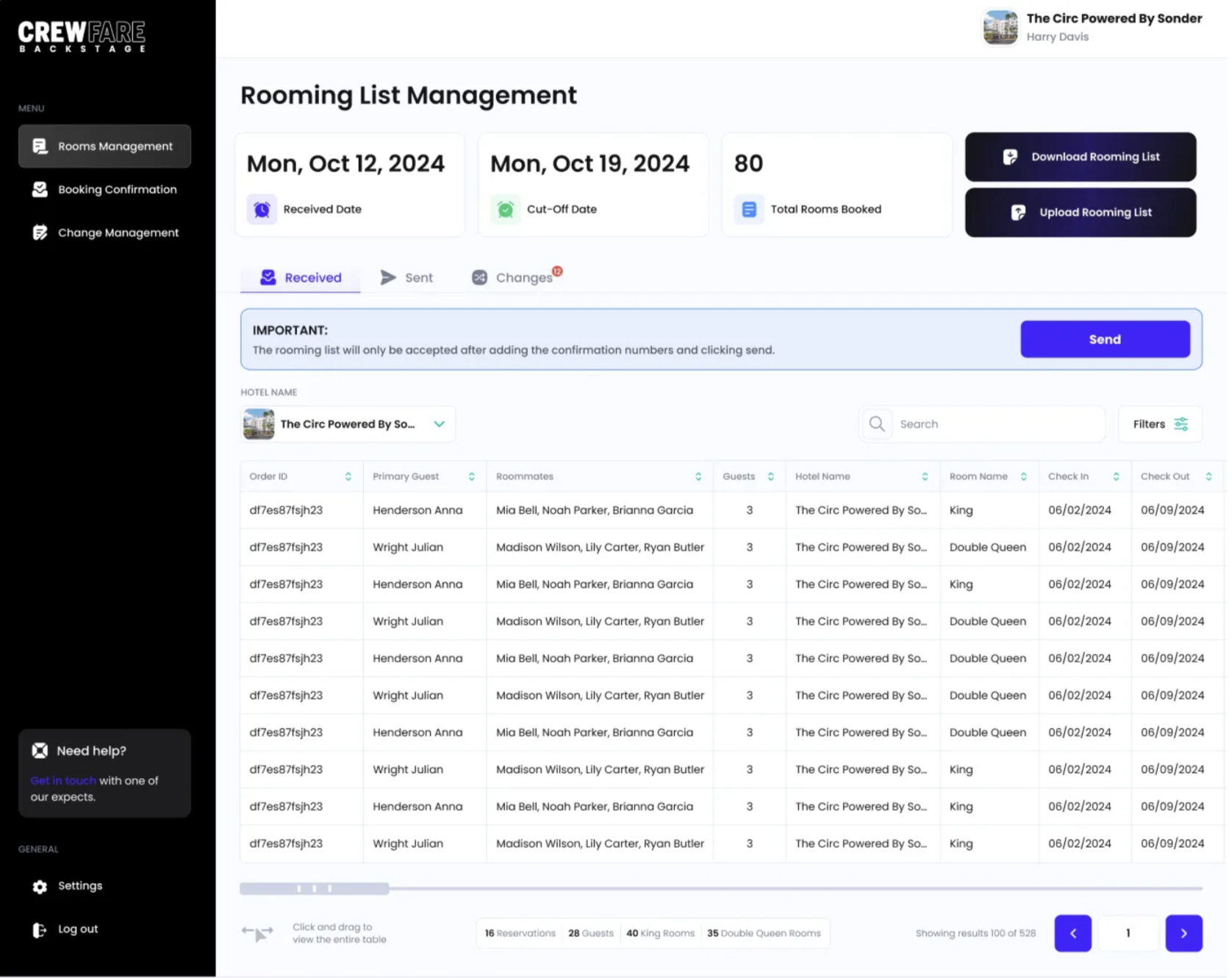
Step 4: Submit Changes (If Needed)
If anything changes after confirmations — such as:
- Guest name updates
- Room type changes
- Adjusted stay dates
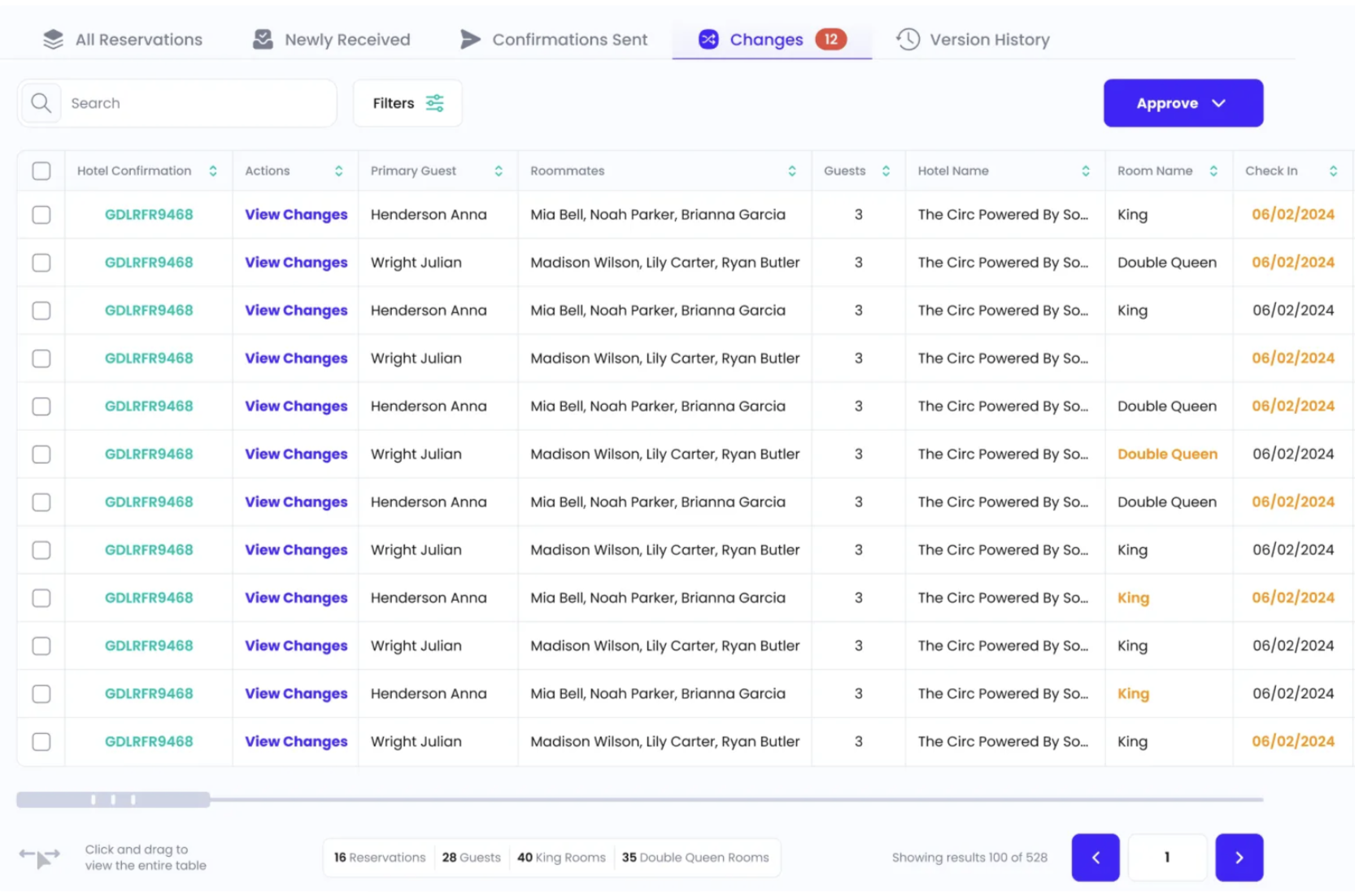
You can submit updates directly through the Backstage to DRL. These updates appear under Changes for review and approval.
Step 5: Track Approved Updates
Once the hotel approves a change:
- The reservation returns to Confirmations Sent
- You’re notified that the update was accepted
- You can communicate updates to guests as needed through Backstage
Need Help?
If you have questions or need assistance:
- Reach out to your Crewfare contact
- Or contact Crewfare Support at launchpad@crewfare.com for help with the Digital Rooming List.
Was this article helpful?
That’s Great!
Thank you for your feedback
Sorry! We couldn't be helpful
Thank you for your feedback
Feedback sent
We appreciate your effort and will try to fix the article