Once you have accepted a bid, we recommend using Crewfare’s standard contract agreement available directly in Launchpad. The agreement can be reviewed and modified directly within the platform, giving both the hotel and Crewfare real-time visibility into any changes.
No more emailing multiple versions of contracts back and forth! You can make additions, deletions, and modifications, as well as ask questions or start threads to clarify specific sections.
Please note that terms already agreed upon during the negotiation process cannot be edited. All other sections can be modified as needed by either party.
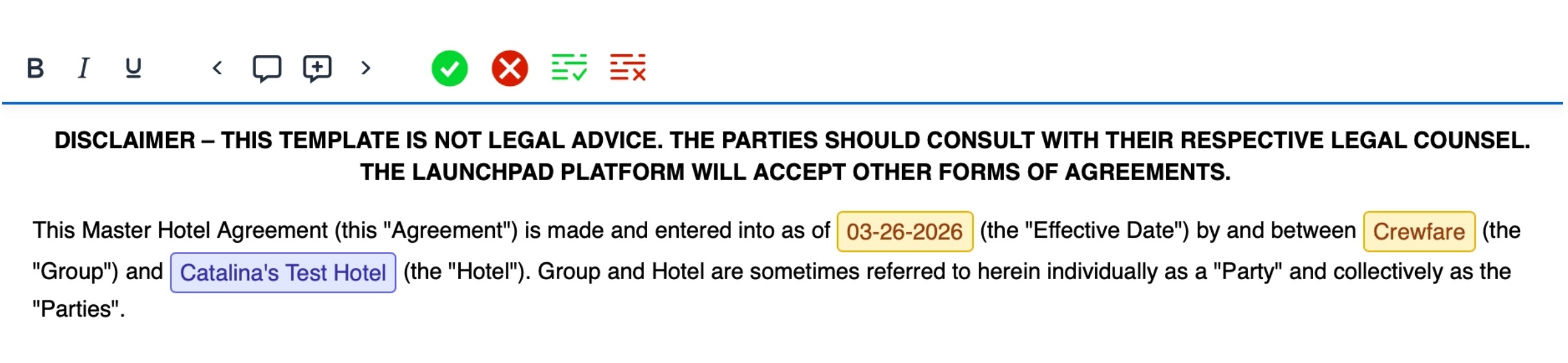
For added visibility, the agreement cannot be signed until all comments, questions, and proposed changes have been addressed and resolved by both parties. Once everything is finalized, the contract can be signed directly through Launchpad.
Was this article helpful?
That’s Great!
Thank you for your feedback
Sorry! We couldn't be helpful
Thank you for your feedback
Feedback sent
We appreciate your effort and will try to fix the article